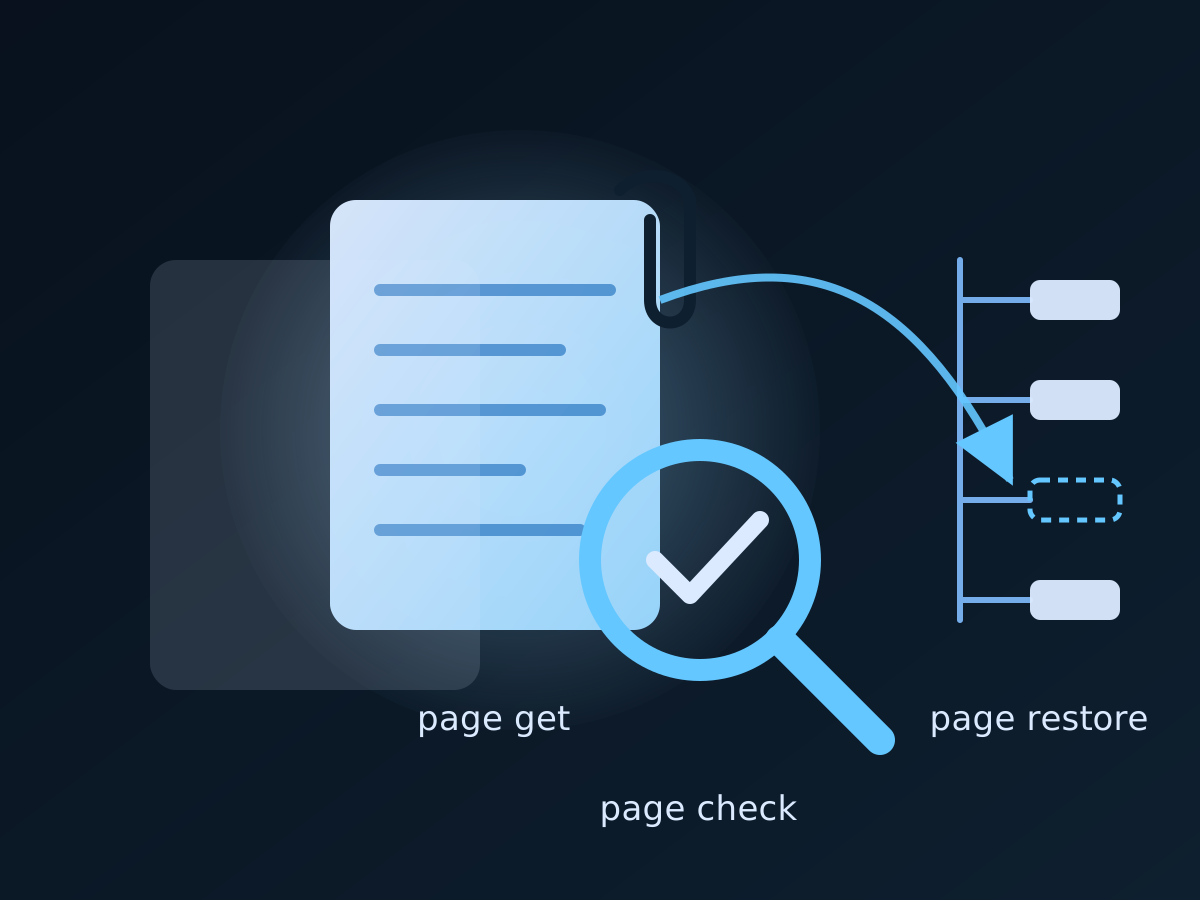
Most Confluence spaces hold a handful of pages that matter more than the rest: the incident runbook, the recovery procedure, the on-call contact list, the standard operating procedure an auditor will ask to see. A whole-space backup protects them along with everything else, and our acs2md guide covers that. But when a plan names pages explicitly, the operator needs to back up, verify and restore exactly those pages, often from a laptop, often in a hurry. That is what acp2md does since v1.0.12: page get saves a page with its attachments, page check tells you whether Confluence still holds it as backed up, and page restore puts it back after showing the plan.
This tutorial runs the cycle on one page, from the first backup to a rehearsed restore, and ends with the evidence it produces. Flags are summarised here; the acp2md manual has the complete reference.
What acp2md v1.0.12 adds
acp2md has always been a precise, read-only exporter: one page by ID, title or pasted URL, to Markdown, to an Obsidian note or to its native ADF or storage payload. Version 1.0.12 adds the write path a backup needs, and keeps the read path exactly as it was:
page get --attachments-dir <dir>downloads a page’s attachments into<dir>/<page-id>/and describes them, inside the page JSON for ADF or in a sidecar file for storage. A page file plus its attachments directory is a complete page backup.page checkcompares one backed-up page with the page Confluence holds now: its state, version and body, and the attachments and labels it no longer has. Nothing changes.page restoreputs the page back. A page still current gets its backed-up version restored, keeping its ID and history, or the backed-up body written as a new version; a trashed, archived or deleted page is created anew under its backed-up parent. Missing attachments, labels and content properties are added. The plan is shown and confirmed first.- It is the first acp2md command that writes to Confluence, and it never deletes, trashes, archives or moves anything.
--dry-runshows the plan without writing.
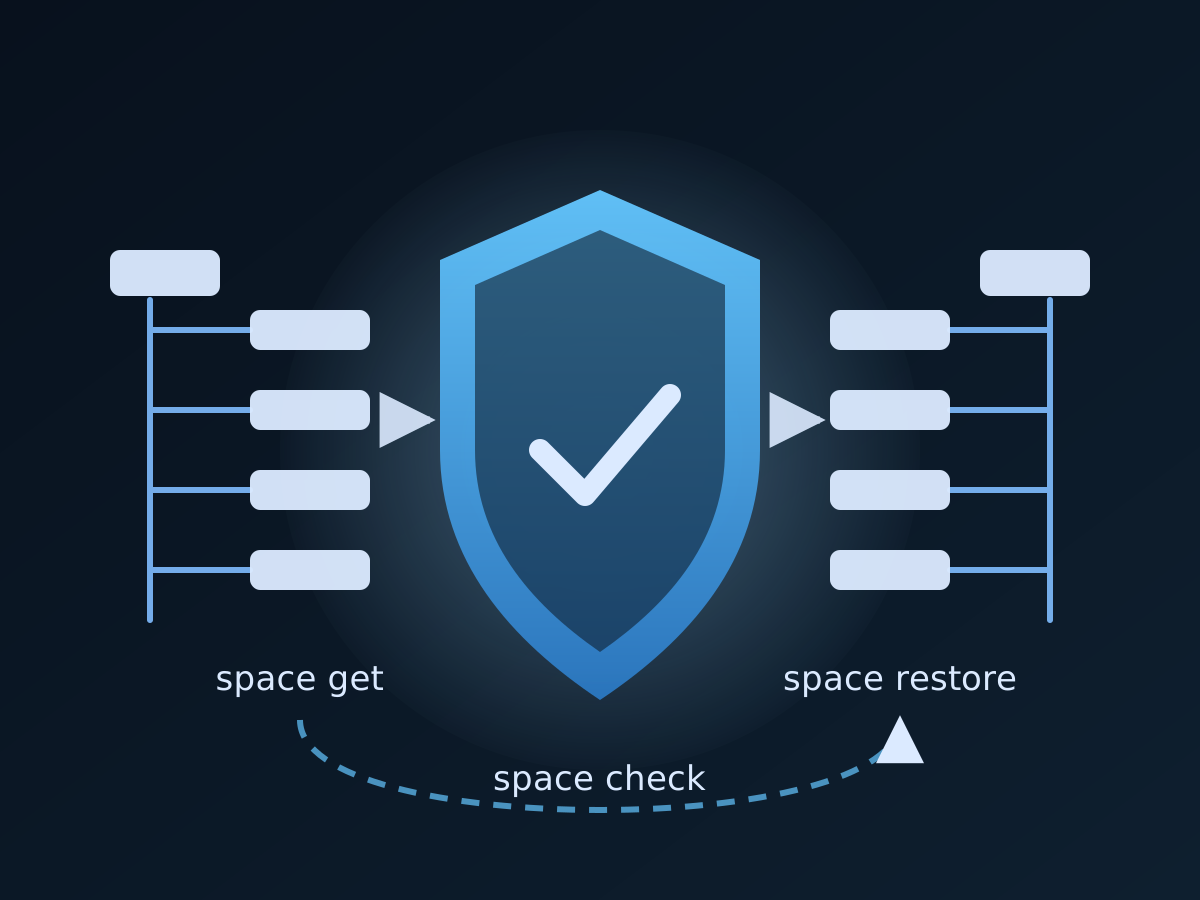
Both page check and page restore also read one page out of a space backup taken with acs2md space get, so a team that runs the space backup nightly can still recover a single page with acp2md.
Step 1 — Install, license, and run doctor
Install from Installation and First-Time Setup. acp2md is sold as Hobbyist for one operator and Multiple Seats for a team, both with a free 14-day trial; compare them at the Climakers store.
acp2md license activate --license-key YOUR_LICENSE_KEY
acp2md doctor
doctor confirms credentials, connectivity and the license, and since v1.0.12 shows the HTTP request timeout row (every request has a ten-minute deadline by default, so a stalled download cannot hang a scheduled job) and a Latest version row. Put ACP2MD_CONFLUENCE_DOMAIN, ACP2MD_CONFLUENCE_USERNAME and ACP2MD_CONFLUENCE_API_TOKEN in the environment of whatever runs the backup; the Configuration page has every key.
Step 2 — Name the pages the plan protects
acp2md takes a page by ID, by title within a space, or by the URL someone pasted into the incident channel. For a backup job, the ID is the stable choice: titles get renamed.
# Find the IDs once
acp2md space pages by-key OPS

# Confirm the page before you back it up
acp2md page properties by-id 2973106197
Write the IDs down in the job, one per protected page. A continuity plan that says “the runbooks are in Confluence” is weaker than one that lists three page IDs and the directory their backups live in.
Step 3 — Back up the page with its attachments
acp2md page get by-id 2973106197 -o ./bcp/runbook.json --attachments-dir ./bcp/attachmentspage get keeps atlas_doc_format as its default, and that is the right format for a page backup: the JSON holds the page’s title, parent, version, labels and content properties, which is everything a restore needs to put it back where it was. The attachments land in ./bcp/attachments/2973106197/, and the JSON describes each one with its title, file ID, version, size and checksum, so a restore knows what to upload and where the body refers to it.
If you prefer storage HTML, pass -f storage; the attachments are then described in ./bcp/attachments/2973106197.attachments.json, and later checks and restores need --title because a storage file does not carry the page title.
Run this for every protected page, into a directory you control and retain. Commit it to Git if you want diffs between backups; the JSON is stable.
Step 4 — Check the page against Confluence on a schedule
acp2md page check --file ./bcp/runbook.json --attachments-dir ./bcp/attachments --fail-on-drift -f json > ./bcp/runbook.check.jsonThe report says what state the live page is in and what differs:
| State | Meaning |
|---|---|
ok | Confluence holds the version you backed up, with the same body |
changed | The live version or body differs |
renamed | The live title differs |
moved | The page sits under another parent |
trashed | The page is in the trash |
archived | The page is archived |
elsewhere | The page now lives in another space |
missing | Confluence no longer has it, or these credentials cannot see it |
It also lists the backed-up attachments and labels the live page no longer has. --fail-on-drift exits non-zero when anything differs, which is how a scheduler raises the alert; the JSON file is the record you keep. Run it daily for the pages the plan names, and run page get again whenever the change was legitimate so the backup follows the page.
Step 5 — Restore: what happens in each situation
# Look first
acp2md page restore --file ./bcp/runbook.json --attachments-dir ./bcp/attachments --dry-run

# Restore the page, with its attachments
acp2md page restore --file ./bcp/runbook.json --attachments-dir ./bcp/attachments

# Unattended, in a script
acp2md page restore --file ./bcp/runbook.json --attachments-dir ./bcp/attachments --yes
The plan comes first and names what will happen:
♻️  Restore "Release Checklist" from ./bcp/runbook.json
   Target space:  DevOps (DEVOPS)
   In Confluence: trashed
   Page:          create a new page under "2 - Operations" (3133376085)
   Attachments:   upload 3 (412.0 KB)
   Labels:        add release, ops
   Properties:    add the 2 backed-up ones the new page lacks
   Note:          the original page is trashed; the restore is a new page with a new ID

Restore this page? [y/N]
What the default --mode auto does depends on the page’s state:
| The page in Confluence | What page restore does |
|---|---|
| Current, same version | Leaves the body; adds back missing attachments, labels and properties |
| Current, newer version | Restores the backed-up version, keeping the page’s ID and history; if that version is gone from the history, writes the body as a new version |
| Current, older version | Writes the backed-up body as a new version |
| Trashed, archived, elsewhere, gone | Creates a new page with the backed-up title, body and parent |
--mode create always creates a new page and --mode update only touches a page that is current. Three more flags matter in practice:
--overwrite-properties. Apps store state in content properties, a document-control approval for example. A property the page has with another value is kept by default; pass this flag to replace it with the backed-up value.--space-keyand--title. Restore into another space, or under another title, for a rehearsal or an archive copy. A space cannot hold two current pages with the same title, so when a live page already has it the restore stops and names that page.--parent-id. Where a created page goes when the backed-up parent is gone; otherwise it lands at the top of the space.
The restored version’s message names the backup’s date, never a path on your machine. A create whose answer is lost on the network is looked up by title before anything else happens, so a retry never produces a duplicate. And a created page is a new page: its ID, authors, creation date and version history are new, and links from other pages that pointed at the old ID still point there. The Restore Pages page documents every case.
Step 6 — Rehearse the restore without touching the original
Compliance reviews ask for a tested recovery, not a described one. Restore the backup into an archive space under a test title, confirm it opens with its attachments, and record the result:
acp2md page restore --file ./bcp/runbook.json --attachments-dir ./bcp/attachments
  --space-key BCPTEST --title "Runbook (recovery test 2026-Q4)" --yes
Remove the test page by hand afterwards; restore never deletes anything, including its own test pages.
Step 7 — Restore one page out of a space backup
If the team runs acs2md space get nightly, acp2md can check and restore a single page straight out of that backup, which keeps the two tools on one copy:
acp2md page check --backup-dir /backups/DEVOPS --page-id 3134096561
acp2md page restore --backup-dir /backups/DEVOPS --page-id 3134096561 --dry-run
What this gives a governance programme
ISO 9001:2015 clause 7.5.3 asks that documented information be available where needed, protected, and retained; ISO/IEC 27001:2022 A.8.13 asks for backups that are tested. For the pages a quality or security programme names, the cycle above leaves:
| Evidence | Produced by |
|---|---|
| A complete copy of each named page | page get --attachments-dir, on a schedule, in a directory you retain |
| Proof the copy is current | page check --fail-on-drift -f json, one record per run |
| A tested restore | the quarterly rehearsal into an archive space, and its check |
| A readable copy outside Confluence | page convert --include-metadata into Git, refreshed with --incremental |
Climakers is not certified under these frameworks; the files are the evidence you present to your own auditors. The business case, and how the same evidence maps to SOC 2 and NIS 2, is on the Confluence business continuity page.
Where to go next
- Flags, states and every restore case: Restore Pages and Saving attachments
- The page-level recipes, including the continuity evidence workflow: Workflows
- Whole spaces, with verification and a rehearsed restore: Confluence backup and restore with acs2md
- Plans and the free trial: the Climakers store; the product page: acp2md on climakers.com
Discuss this article
Comments are ready for Giscus, but the public repository and category settings have not been added yet.