The main acs2md workflow is intentionally simple: convert a space to Markdown. The advanced value comes from how much you can shape that output for the downstream system that will consume it.
That is where the flags stop being cosmetic and start becoming architecture decisions.
The first customization layer: content, links, and media
The space convert docs group the most important rendering controls into three buckets.
Content and metadata
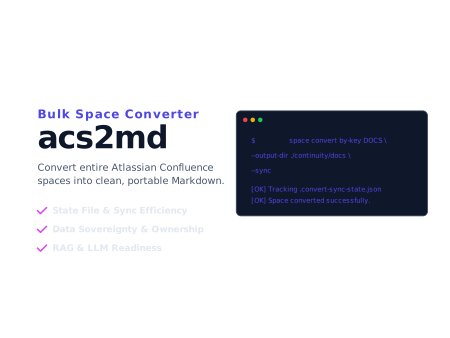
acs2md space convert by-key DOCS
  --include-metadata
  --exclude-marks=false
--output-dir ./site--include-metadataadds YAML front matter with titles, authors, dates, IDs, and status data.--exclude-marks=truestrips inline formatting for plain-text oriented output.--exclude-marks=falsepreserves richer inline formatting when the target renderer can use it.
That choice changes whether the export is aimed at static publishing, migration review, or text-first AI ingestion.
Links
acs2md space convert by-key DOCS
  --rewrite-links=false
  --output-dir ./migration-review
By default, acs2md rewrites Confluence URLs to local relative paths. That is ideal for portable Markdown sets and Git-based documentation. Turning it off makes sense only when you still want the local files but need the original Confluence URLs preserved.
Images and media
acs2md space convert by-key KB
  --embed-images=false
  --embed-media-images=false
  --output-dir ./rag-corpus
The docs are clear here: embedded images increase file size. If the target is a text-first pipeline, disabling image embedding is often the right tradeoff.
The second layer: macro and extension rendering
acs2md exposes a surprisingly useful set of extension flags for common Confluence constructs:
--ext-render-toc--ext-render-recently-updated--ext-render-listlabels--ext-render-pagetree--ext-render-children--ext-render-contributors--ext-render-page-signatures--ext-render-qc-properties--ext-render-task-report--ext-render-content-report--ext-resolve-inline-card-titles
That flag surface matters when exported content has to remain legible outside Confluence rather than just technically converted.
For example:
acs2md space convert by-key DOCS
  --ext-render-toc
  --ext-render-task-report
  --ext-resolve-inline-card-titles
  --output-dir ./docs
These options help transform Confluence-specific constructs into Markdown that is easier to review, publish, or index.
Integration patterns that show up in real projects
The customer workflows page makes the downstream use cases explicit. Here is the useful mental model:
| Target workflow | Useful acs2md choices |
|---|---|
| Static site or Git docs | --include-metadata, --rewrite-links, stable --output-dir |
| RAG or enterprise search | --exclude-marks, --embed-images=false, repeatable scheduled runs |
| Migration engineering | space pages --tree, space get --format atlas_doc_format, then convert when ready |
| Governance review | space list, space properties, space permissions --resolve-users |
| Scheduled operations | environment variables for secrets, --sync, --log-file |
The key point is that integration is not one pattern. The right output contract depends on whether humans, Git, a static renderer, or an indexing pipeline will consume the result.
When space get is the better advanced move
One of the most useful details in the docs is the distinction between space convert and space get.
Use space convert when you want portable Markdown.
Use space get when you want raw native payloads first:
acs2md space get by-key DOCS
  --format atlas_doc_format
  --output-dir ./native/docs
That is the right move for migration engineering, debugging custom transformation rules, or any case where you want the source representation before committing to Markdown rendering.
CI, logging, and operator ergonomics
The configuration and utilities docs fill in the automation details:
- every config key can be overridden through
ACS2MD_...environment variables --log-filecan send logs to a file, stdout, or stderr--no-progresskeeps CI transcripts clean when you do not want progress outputtree --shortgives runbooks and onboarding docs a compact command inventorysupportcreates a masked diagnostic bundle that is actually useful for escalation
A practical scheduled run looks like this:
export ACS2MD_CONFLUENCE_DOMAIN=mycompany.atlassian.net
export ACS2MD_CONFLUENCE_USERNAME=$CONFLUENCE_USER
export ACS2MD_CONFLUENCE_API_TOKEN=$CONFLUENCE_TOKEN

acs2md space convert by-key DOCS
  --output-dir ./scheduled/docs
  --sync
  --log-file acs2md.log
That is the difference between a demo command and an operational integration.
Wiring advanced flags into a compliance-grade pipeline
The same flags that customize the output also produce control evidence when used inside a CI job or a scheduled runner.
--log-fileplus--debuggive you a deterministic per-run log, which is the artifact ISO/IEC 27001:2022 A.8.15 (logging) and NIS 2 Article 21(2)(f) ask you to retain. Pin the log retention period in your records-control policy and the control is defensible.--include-metadataand the front-matter rendering options preserve source identity and dates. That makes it possible to satisfy ISO 9001:2015 clause 7.5.3 (control of documented information) for items like author, revision, and supersession.space get --format atlas_doc_formatproduces a native source snapshot. That snapshot, paired with the rendered Markdown, gives SOC 2 CC8.1 (change management) a clean before-and-after artifact.- Running
acs2mdfrom CI under a pinned identity, with--no-progressand structured logs, lines up with ISO/IEC 27001:2022 A.8.31 (separation of development, test and production) and A.8.32 (change management) when documentation deliverables flow from a controlled pipeline.
In short: the advanced surface is also the audit surface. The flags you would use anyway are the ones that produce the evidence.
Final recommendation
Do not treat the advanced flag surface as optional complexity. It is the layer that lets the same product feed a Git publishing flow, a compliance archive, a migration engineering review, or a RAG corpus without pretending those are the same job.
Start by deciding what the output must do after export. Then choose metadata, links, media, macro rendering, and state-tracking behavior to fit that downstream contract. That is the cleanest way to get useful Markdown instead of merely converted Markdown.
Discuss this article
Comments are ready for Giscus, but the public repository and category settings have not been added yet.