Many Confluence to Markdown projects do not begin at space scale. They begin with one page that matters enough to move carefully.
That page might be a compliance procedure, an executive runbook, a regulated SOP, a support playbook, or a knowledge article you need to preserve before the surrounding space is touched. In those cases, broad export is the wrong first move. The safer move is exact scope control.
That is where acp2md fits. It is built for page-level work where the unit of value is a single Confluence page and the output needs to be portable, reviewable, and ready for Git or downstream processing.
When a single-page export is the right starting point
Teams often assume a Confluence migration has to start with an entire documentation estate. That is not always true.
Single-page export is usually the better path when:
- one page has legal, operational, or audit significance
- you are piloting formatting fidelity before a broader rollout
- the target is an AI-ready Markdown artifact for one high-value source
- a team needs to preserve one document immediately without waiting for a larger migration decision
- the surrounding space is noisy, but the page itself is well defined
In those cases, page precision is a feature, not a limitation.
What a good page export needs to preserve
The job is not finished when a .md file exists. The job is finished when the page can still be used outside Confluence.
For a page-level workflow, that usually means preserving:
- headings and section structure
- fenced code blocks that still read cleanly in Git
- tables that remain understandable in plain Markdown
- important links, references, and lists
- a stable file path that can live inside a docs repo or evidence folder
The quality bar is operational. If reviewers still need to repair the output before they can use it, the export path is not ready.
Why acp2md is the better tool for exact page scope
acs2md is the right tool when the unit of work is the space. acp2md is the right tool when one page is the job.
That matters because page-level workflows benefit from:
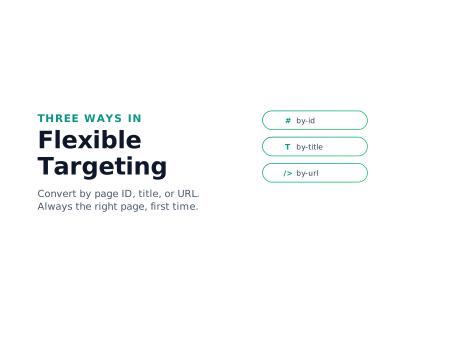
- direct targeting by page ID, title, or URL
- less noise during pilot migrations
- easier inspection of formatting fidelity before larger rollout
- cleaner handoff for compliance, legal, or incident-response teams
Scope discipline reduces cleanup. That is one of the fastest ways to make Markdown exports more trustworthy.
Recommended workflow for an exact page export
The safest pattern is to validate the workstation, confirm the exact page, inspect likely formatting complexity, and only then write the Markdown file.
1. Validate the environment first
Before touching the page, check that the workstation, license, and credentials are in good shape.
acp2md doctorThat step is cheap, and it prevents avoidable failures later in the flow.
2. Confirm the page you actually mean
Page-level workflows break when teams assume they are targeting the right document.
acp2md page get by-id 2973106197That is the quick sanity check that proves the page identity before you export anything.
3. Inspect likely formatting complexity
Before conversion, inspect the page for marks and rich formatting that may deserve extra review.
acp2md page count marks by-url "https://company.atlassian.net/wiki/spaces/DEVOPS/pages/2973106197"This helps teams identify whether the page is simple, formatting-heavy, or likely to need closer validation after export.
4. Export to a stable Markdown path
When the output matters, write it directly into the path where the organization expects to keep it.
acp2md page convert by-id 2973106197 --output ./docs/runbooks/incident-escalation.mdThat turns the page into customer-controlled Markdown instead of leaving it inside a proprietary platform boundary.
5. Commit and review the file like governed content
If the page is important, the exported Markdown should be reviewed like any other controlled artifact.
git add docs/runbooks/incident-escalation.md
git commit -m "Export Confluence incident escalation page to Markdown"
That creates a clean audit trail and makes the file reusable in broader documentation workflows.
How to validate the exported page before handoff
Before the team treats the Markdown file as production-ready, inspect it with the same standards you would apply to a manually authored document.
Check at least the following:
- Headings reflect the original page structure.
- Code blocks are readable and fenced correctly.
- Tables are still understandable in plain text review.
- Links still point somewhere meaningful.
- The output filename and path match how the organization expects to store the document.
Page-level export is useful precisely because validation is tractable. Use that advantage.
Common mistakes in page-level migration work
The usual failures are simple and avoidable.
- exporting before confirming the exact page ID or URL
- treating a one-page workflow like a full-space migration
- writing output to a temporary path that never enters Git or retention storage
- assuming formatting fidelity without reading the resulting Markdown
- expanding scope too early instead of proving one-page quality first
Most teams do not need more tooling at this stage. They need tighter scope and better review discipline.
Why single-page export is a natural fit for SOPs and regulated procedures
A standard operating procedure, a runbook, or a regulated work instruction is rarely the right place for a sweeping migration. It is the place where you want surgical control: one document, one approval trail, one exported artifact.
That is exactly what acp2md produces, and it is why single-page export lines up with several common control requirements:
- ISO 9001:2015 clause 7.5.2 (creating and updating documented information) asks for appropriate identification, format, and review. A single-page Markdown file with a stable path and a Git commit gives you all three.
- ISO/IEC 27001:2022 A.5.31 (legal, statutory, regulatory and contractual requirements) and A.5.37 (documented operating procedures) ask for documented operating procedures that can be reviewed and updated. A page-level export turns one Confluence procedure into a versioned record without dragging the rest of the space along.
- NIS 2 Article 21(2)(b) requires documented incident handling procedures. Exporting an incident-response runbook with
acp2mdproduces a portable artifact that survives the loss of Confluence access during the actual incident. - SOC 2 Common Criteria CC2.2 asks for entity-wide policies that are communicated and updated. Single-page export supports that without forcing a full-space migration first.
The point is that one important page often has its own compliance lifecycle. Treating it as one artifact — exported, reviewed, committed — is the lightest workflow that an auditor will accept.
When to step up from acp2md to acs2md
acp2md is not the wrong tool because it is narrower. It becomes the wrong tool when the operational need is no longer page-specific.
Move up to acs2md when:
- the target is a full documentation space
- continuity copies need to stay current over time
- internal links need to be rewritten across a larger estate
- the workflow is moving from pilot to governed migration pipeline
The cleanest programs usually start small, prove fidelity on one page, and then widen scope deliberately.
Final take
If one Confluence page is the real unit of risk, export that page with exact control instead of opening a larger migration front than the team needs.
With acp2md, teams can create clean Markdown artifacts for compliance, operations, AI, and Docs-as-Code workflows without waiting for a full-space decision. That makes page-level export a practical first move, not a compromise. When you are ready, start with acp2md in the store.
Discuss this article
Comments are ready for Giscus, but the public repository and category settings have not been added yet.